


Using these XM Cloud hotkeys can significantly boost your productivity
Do you use hotkeys?
I am pretty sure most of you intuitively press Ctrl + S in order to save the changes in Content Editor. Highly likely, you also do any of these below:
Del-for deleting an item, and all of its childrenF2- rename an item
However, there are plenty of other meaningful shortcuts for you to use:
F9- publish site dialogCtrl + D- duplicates an item, one of my favorite ever.Ctrl + Win- opens a Sitecore "Start" menu (however, that does not work in 100% of cases)F7- Validation ResultsLeft / Rightkeyboard arrows allow expanding and collapsing items' nodes
View togglers:
Ctrl + Shift + Alt + R: Toggle raw values. This is one of my best savers when I need to grab an ID for a lookup from a reference field.Ctrl + Shift + Alt + T: Toggle the display of standard fields, which helps improve Content Editor performance when offCtrl + Shift + Alt + L: Toggle the protection for a selected item.
Content Editor Tabs:
IMG
They typically work as Alt + <first_letter_of_a_tab>:
Alt + H: HomeAlt + N: NavigateAlt + R: ReviewAlt + P: PublishAlt + V: VersionsAlt + C: ConfigureAlt + S: Security
... but since several tabs start from the same character, less straightforward hotkeys are used:
Alt + I: View
Predictive search
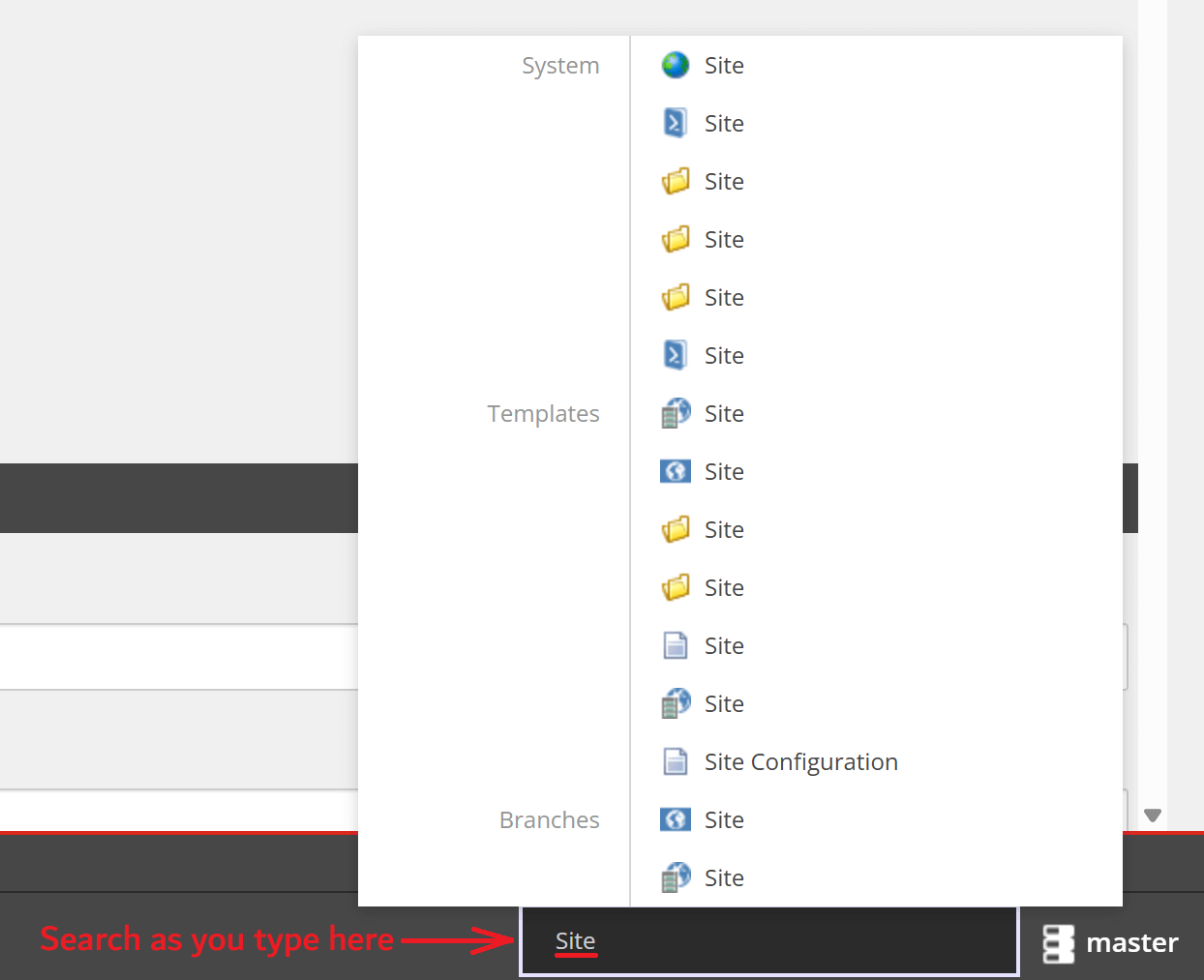
In Content Editor, hit Ctrl + / and you'll see the bottom right search area activate, waiting for your input. Type in at least two characters for it to progressively show the results, as you keep typing.
Mouse Gestures
Dragging and item with Ctrl button held creates a copy of that item right at the location where you release the button.
How do I know these shortcuts?
There is a master shortcut Alt + F1 that brings up helpful labels exposing the hotkeys for the specific functions on a Ribbon:

Hope this helps you staying more productive!